Skip to content
  • Categories
  • Tags
  • Recent
  • Popular
  • Users
  • Groups
Skins
  • Light
  • Brite
  • Cerulean
  • Cosmo
  • Flatly
  • Journal
  • Litera
  • Lumen
  • Lux
  • Materia
  • Minty
  • Morph
  • Pulse
  • Sandstone
  • Simplex
  • Sketchy
  • Spacelab
  • United
  • Yeti
  • Zephyr
  • Dark
  • Cyborg
  • Darkly
  • Quartz
  • Slate
  • Solar
  • Superhero
  • Vapor

  • Default (No Skin)
  • No Skin
Collapse

Free Rider Community

NessN

Ness

@Ness
Canvas Rider Black Hat
About
Posts
33
Topics
7
Shares
2
Groups
2
Followers
11
Following
11

Posts

Recent Best Controversial

  • rev. I: Import & Interface
    NessN Ness

    hey guys, absolutely psyched to show you the latest revision to freerider.app.

    if you know me, you know I'm super passionate about Free Rider tracks and history. I believe tracks are works of art, and as such deserve to be both preserved and showcased.

    so without further ado, I'd like to unveil the freerider.app DB.

    accessible by clicking the Import icon and clicking browse the database or by navigating to https://freerider.app/tracks, you will find:

    over 960k tracks (and counting) from Free Rider HD,
    over 1m tracks from Canvas Rider,
    and ~4.5k tracks from the thought-to-be-lost Black Hat Rider database, courtesy of Renée.

    in addition to the full archives, a personally curated DB of 1000 tracks is available to browse, with custom thumbnails and playlists, along with metadata such as collaborators, reuploads across databases, remixes, contest entries, and more.

    and in an effort to have every track be playable as they were, all CR and BHR autos/hold-ups now fully work on freerider.app, and helicopter, truck, balloon, and blob can now be played as starting/base vehicles, no powerups needed.

    I hope you guys enjoying playing through the archive. if you have any requests for tracks to be added to the DB or playlist ideas, feel free to share in the thread.

    see the next post for part 2 of this revision!
    About Free Rider

  • rev. I: Import & Interface
    NessN Ness

    since the start of developing fr.app with pie, we've had a bad habit of adding functionality without properly explaining how it works or how to access it. and as we've added features, it's become increasingly difficult to to fit everything in the existing menus.

    in an effort to make the trackmaking experience easier and more straightforward for newcomers and veterans alike, we've updated the track editor interface!

    and so we now present: the sidebar & toolbox!

    clicking on the left menu icons and bottom menu buttons (where the text is) will either open up the corresponding sidebar tab or (if the sidebar is closed) the toolbox dialog. all the functionality once hidden is now visible and easily accessible, with descriptions and helpful tips too.

    not only that, we have an improved user experience for manipulating objects and layers!

    so check it out! we really hope you guys have a good time playing and making tracks with this new revision.

    much love from @Pie42 and myself!

    About Free Rider

  • draymond green once said kill all ghosters
    NessN Ness

    soon we'll all be ghosts...

    Ghosts

  • rev. I: Import & Interface
    NessN Ness

    new stuff:

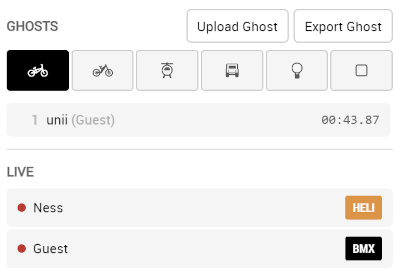
    • live rider - play tracks with others (use https://freerider.app/login to have your name on the rider)
    • search "live" for live sessions in db (also you can search "playlist" and "remix")
    • added transform buttons and preview to the select tool (including invert)
    • drag and drop layer reordering (re-added pie's layer improvements, my bad)
    • added "import from code" to the track db to go back to the code import dialog easily

    bug fixes/tweaks:

    • right menu position fixed while sidebar is open
    • opening sidebar while toolbox dialog is open now closes toolbox (moves toolbox back to sidebar)
    • little description help box on sidebar is now correctly placed
    • play mode now sets tool to camera so you can't draw
    • mod settings save/apply fix (mods weren't saving like the other settings were)
    • fixed "save as object" for teleport powerups

    edit (some more):

    • fix object sensitivity drop-downs
    • fix visual bug on db header
    • fix query not working on playlists
    • fix alias searching (e.g. searching "tsunami" will now search "alex", "alexander", etc.)
    • add db to sidebar
    About Free Rider

  • parity with frhd, and a suggestion
    NessN Ness

    I haven't had any luck getting the track to break on freerider.app, it is possible that it is a mod that is causing it?

    as for anything teleports, @Pie42 is the authority on that, so possibly he'll whip something up. but feel free to use this userscript in the meantime:

    // ==UserScript==
    // @name         Teleport Matcher
    // @version      0.1
    // @description  Connects teleports in FRHD.
    // @author       1s3k3b
    // @match        https://freerider.app/*
    // @grant        none
    // ==/UserScript==
    
    let lastHref;
    setInterval(() => {
        if (window.location.href !== lastHref) {
            lastHref = window.location.href;
            const i = setInterval(() => {
                if (!GameManager.game) return;
                clearInterval(i);
                const { canvas, currentScene: scene } = GameManager.game;
                const ctx = canvas.getContext('2d');
                const toScreen = x => scene.track.physicsLines[0].p1.__proto__.toScreen.apply(x, [scene]);
                createjs.Ticker.on('tick', () => scene.track.powerups.map(x => {
                    if (!x.otherPortal) return;
                    const pos = toScreen(x);
                    const other = toScreen(x.otherPortal);
                    ctx.beginPath();
                    ctx.strokeStyle = '#e56af0';
                    ctx.lineWidth = scene.camera.zoom * 2;
                    ctx.moveTo(pos.x, pos.y);
                    ctx.lineTo(other.x, other.y);
                    ctx.stroke();
                }));
            });
        }
    });
    
    About Free Rider

  • rev. I: Import & Interface
    NessN Ness

    quick shoutout to @mbcool for the new object and layer icons! he really came through for us on those. thank you!

    About Free Rider

  • ZYCERAK THREAD
    NessN Ness

    zy you are a great artist and I hope your future is rewarding and joyful

    Off-Topic

  • An idea to get around the TAS ghost issue
    NessN Ness

    there’s a few different versions of TAS, using any tool outside of the game as it was meant to be played is considered TAS (tool-assisted speedrun).

    there’s a little bit of gray-area. using the spacebar to slow your movement for better reaction time is generally accepted as not cheating, slowing your game down with lag is more frowned upon, something like an auto-spacebar mod would be considered TAS. I imagine those are some of the most common forms. a wheelie section would not stop them in any physical sense, just in more of an honor system sense.

    as long as there’s a leaderboard, players will try to find a way to hack it. but pie and I have a few ideas for ghosting on fr.app that would shake things up a bit. the biggest priority would be making it fun and as fair as possible, so hopefully we can succeed at that

    Ghosts

  • rev. I: Import & Interface
    NessN Ness

    @lightninggod !! yes the ghosts get uploaded to the db, but there is no leaderboard or anything atm. I had meant to disable ghost uploads until I could confirm they were 100% functional, but I guess there’s no harm in keeping it up. they are like 99% working right now lol

    About Free Rider

  • 2026 GHOSTING COLLAB
    NessN Ness

    been working on one!

    Tracks

  • question abt objects
    NessN Ness

    @nathanpertman1
    I don’t think there’s any limit to how many objects you can have. and objects are saved in your browser’s local storage, which isn’t exactly permanent, so I wouldn’t rely on it to save tracks. exporting the code and saving it as a file is much safer. if you follow the instructions @eldritch gave, hopefully you can find your track.

    Off-Topic

  • track editor 1.1
    NessN Ness

    hey everyone! Pie42 and I have updated the FRHD track editor! as shown in the trailer, we've included new trackmaking and ghosting tools, features, and improvements, along with new implementations of tools and scripts from the community. we hope you enjoy!

    check it out here:

    Free Rider track editor v1.1

    new tools and options:

    • circle tool - draw a circle from a center point. on the bottom toolbar, the "Segment Length" slider changes the length of lines in your circle.
    • select tool - select lines and powerups in your track and move, scale, rotate, and flip the selection, or select points to change their position.
    • object tool option - import or select your object, click the cube icon on either toolbar, and place objects with the line tools.

    more features:

    • start position - press the "Set Start Position" button on the bottom toolbar and drag Pete to change where the rider starts in your track.
    • snap near - line snap now snaps to the nearest line endpoint, and now you can snap the second point of your line and powerups.
    • line trim - eraser tool now has a "Line Trim" option that only erases the section of the line your eraser touches.
    • grid options - along with grid size, you can change the grid type between standard and isometric, and between visible, hidden, or no-snap grid.
    • camera options - with the camera tool selected, set the camera speed and choose the type of camera movement on the bottom tool bar.
    • change keybinds - in the "Hotkeys" and "Controls" menus, select a button and press a new key to change the keybind.
    • new import dialog - type a track name in the import text field and press import to load a track, or press add to combine with the current track.
    • new export dialog - when exporting, see your line and powerup counts, and you can now choose the file name when saving as file.

    ghosting tools:

    • rewind - places a checkpoint every game tick, allowing you to rewind using backspace.
    • old-timer - when returning to checkpoints, the timer returns to the time the checkpoint was collected.
    • slow-mode - the rider is constantly in the state of slow-motion, and this slows the timer as well.
    • bike/vehicle data - shows the head angle and speed of the rider.
    • visible hitboxes - shows the masses and springs for the bikes and vehicles.
    • input display - shows the keys that are pressed.

    new mods:

    • mario mode
    • invincible rider
    • invisible rider
    • no clip
    • mini-bike
    • "x" to crouch
    • "x" to fly with a propeller
    • old-school front brake

    …and more!

    this new editor is built from a combination of Char's Offline Editor and Polygon's Mod with added functionality. if you haven't checked out the full bug fix/update list for Polygon's Mod, you can find it here.

    I want to express my gratitude and share credit with all of the developers that made this possible. Pie42, Char, Polygon, Calculus, pinn, and everyone else that either directly contributed, laid the foundation, or helped along the way. I love this game and I deeply appreciate everyone who continues to give it life.

    as a disclaimer, this is not meant to be a replacement for or an alternative to Free Rider HD. the purpose of the new track editor is to help trackmakers to hone their craft and ghosters to practice their skills, not as a place to publish tracks and make ghosts. if you're looking for an improved DB experience, Calculus is doing a great job with Free Rider Lite.

    check out the post below for more info about the object tool option and how you can contribute to this project!

    About Free Rider

  • N Gallery
    NessN Ness

    Link Preview Image
    beeswax, by Ness

    sticky keys

    favicon

    freerider.app (freerider.app)

    Tracks

  • track editor 1.1
    NessN Ness

    if you've used the dream machine track editor, you're likely familiar with how objects work! but here's a bit of a deep dive into the new tool option.

    first things first, clicking on the cube icon on either toolbar will open the "Import Object" dialog. here you can select from pre-made objects or import your own using a track code. not only can you have objects made of physics and scenery lines, but powerups as well!

    you can also use the select tool to select a part of your track and press "Copy Selection as Object" on the bottom toolbar to create an object. the select tool and object tool option share most features and controls, so most information here can be applied to the select tool as well!

    once you have your object, you can transform it (hold control to see transformation data) using the following controls:

    • r - rotate clockwise
    • s - scale up
    • f - flip horizontally
    • i - invert line type
    • shift + r - rotate counterclockwise
    • shift + s - scale down
    • shift + f - flip vertically
    • ctrl + arrow keys - move the object on the canvas
    • shift + arrow keys - change offset (position of your object relative to your cursor and the center point for transformations)

    to place an object, choose any of the line tools, make sure the cube is selected on the right toolbar, and place your objects like you would place lines. the straight line tool allows you to place one object at a time, but you can also make curves, circles, or use the object as a brush! try using the segment length sliders, and press the "Options" button for the brush tool to see some cool object brush options, like rotation and scaling based on mouse movement and brush jitter.

    as you use the line tools, you're also able to use grid and snap options! this will snap your cursor to the grid or to the closest line endpoint. in combination with changing the object offset, this allows for more precision in placing your objects. pressing "Grid" or "Snap" on the bottom toolbar opens up their respective settings, and pressing "Object" shows you the buttons to import, export, or clear objects.

    with the introduction of objects, there's an opportunity for trackmakers to share assets like track parts and brushes! these could be trees, clouds, outlines, patterns, any thing you find is helpful to use as an object. if you'd like to contribute by sharing objects, just send the codes my way (give them cute/informative names!) and I'll create a folder with your username in the "Import Object" dialog. the organization of the folders is subject to change though. remember these will be available to everyone to use as they please!

    if you guys have any questions, feel free to ask! and any bugs you find or ideas you have, let us know! this editor is for all of you.

    About Free Rider

  • WIP Thread
    NessN Ness

    @Ponjoja
    it removes duplicate lines and powerups from an exported track code. sometimes when using the select/object tools, it is easy to mistakenly place lines/powerups twice, so “clean track” helps to fix that.

    Tracks

  • Grok Rider HD
    NessN Ness

    @Pete can you help me out?

    About Free Rider

  • Feedback thread
    NessN Ness

    @nathanpertman1

    the point snap option works just like grid works. with grid, your cursor will automatically move to the nearest point on the grid. with point snap, your cursor will automatically move to the nearest endpoint on a line in your track. it does not draw a line, it just moves your cursor. maybe a better name for it would be cursor snap, as that describes it well

    the line snap draws a line. the line starts from the nearest endpoint on a line in your track and ends at your cursor. clicking with your mouse will place that line

    Tracks

  • Grok Rider HD
    NessN Ness

    @Pete no spoilers for the new update but it will be coming soon

    About Free Rider

  • track editor 1.1 rev. L: Layers!
    NessN Ness

    @HtH we want to fix your bug, but you'd have to give a more in-depth explanation of what is happening. if we can't replicate a bug, we can't fix it. could you could share the track code you are trying to import, or try to describe more about the situation?

    About Free Rider
  • Login

  • Don't have an account? Register

  • Login or register to search.
Powered by NodeBB Contributors
  • First post
    Last post
0
  • Categories
  • Tags
  • Recent
  • Popular
  • Users
  • Groups